
3天找回,LinkedIn无法提交身份验证请求!

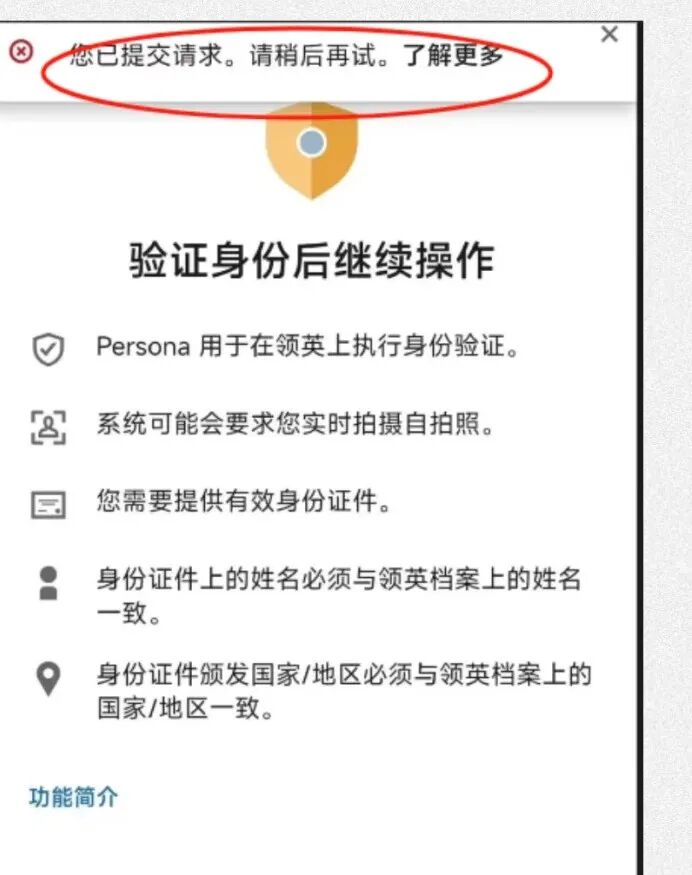
头疼!领英做persona身份验证时,跳出提示说您已提交了请求,请稍后再试。淡定,这个问题十有八九不是系统bug,而是你的账号碰到了平台的某个安全策略。
下面是具体的破解方法,亲测好用,屡试不爽😀
📌会遇到的问题:
- 根本没提交过身份验证,结果显示已经提交过了
- 账号被封了,想提交身份验证却提交不上去
📌解决方法:
发邮件给这个邮箱:info_impressum@cs.linkedin.com
(还有很多说各种其他邮箱的,suppot,cn,help等我也试过了,都是自动回复,只有这个邮箱有人工跟进)
📧 邮件申诉模版:
Subject:Appeal for Account Reinstatement – Urgent Work Disruption
Dear LinkedIn Support Team,
I sincerely hope this message finds you well.
I’m writing to appeal the recent restriction placed on my LinkedIn account. This account is extremely important to me, as it serves as a critical tool for my professional work.
Please know that all the information on my account is completely accurate and belongs to me personally.
I truly hope you can review this case again and kindly consider lifting the restriction.
Thank you very much for your time and understanding.
My LinkedIn email:\ [填写你的登录邮箱]
My profile name:xxx [填写你的领英名称]
Warm regards,
xxx